
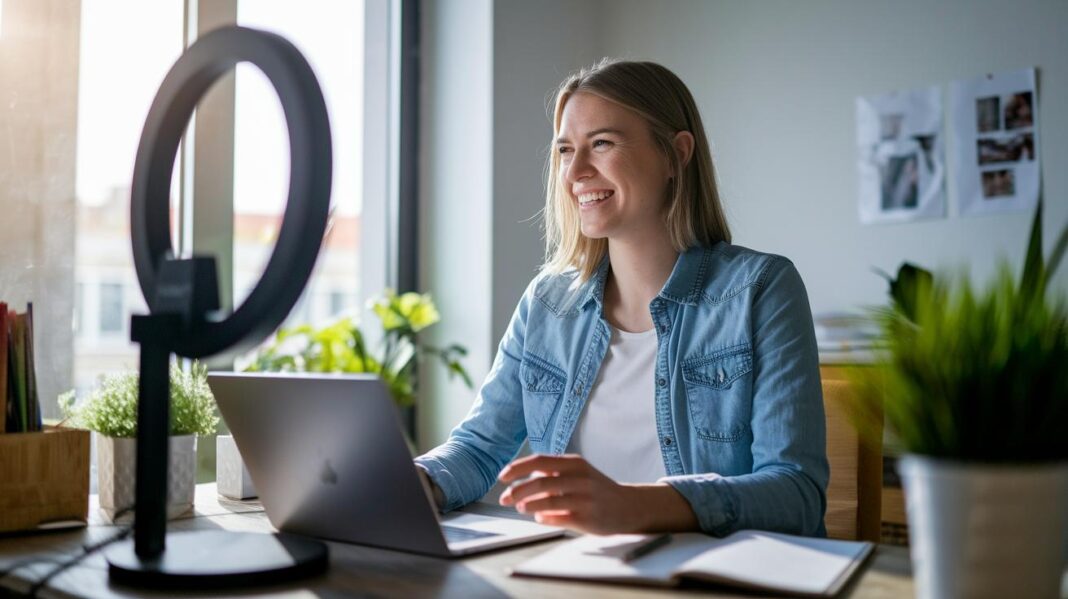

Ever notice how video calls sometimes feel more stressful than soothing? A tiny tweak to your setup might be just what you need. When you arrange your equipment and keep your space well lit, your call feels clearer and more confident. Take a moment to check your connection, adjust your camera, and tidy up your audio. These simple changes lead to friendlier, smoother conversations, almost like chatting with an old friend. Ready to let your video calls truly shine?
Setup Essentials for a Smooth Video Consultation Experience

Start by making sure all your equipment is ready to go. Run a speed test on your Wi-Fi or cable to check that your connection is steady. Do a quick trial run to see if your picture and sound are clear. For instance, before a session, I adjusted my headset until everything sounded crisp and clear.
Next, choose a headset with a built-in mic to cut down on echo and background noise. This little step helps your voice come through clearly, so everyone can focus on the conversation. Also, position your camera at eye level to capture a friendly, well-lit view.
It’s also smart to have a backup plan. Keep a mobile hotspot or another device handy just in case your main connection wavers. This moves saves you time and keeps your call smooth and uninterrupted.
Before each appointment, take a moment to review your checklist. Make sure every piece of hardware and software is working right. This simple routine paves the way for a confident and effective video consultation.
Video and Audio Quality Tips for Better Video Consultations

Start by setting up your space in a bright, quiet spot. Place a lamp behind your camera to softly light your face without glare. For example, try positioning an adjustable lamp at about a 45 degree angle to ease harsh shadows. This small change can really clear up your image.
Next, check your webcam settings. Adjust brightness and focus so you appear at eye level. This easy tweak makes you look friendly and natural on camera. It’s like giving your video a little nudge toward a better first impression.
Before your call, take a few minutes to test your setup. Look over your picture and sound settings. A quiet background that limits noise lets every word stand out. And if you need extra clarity, consider using a headset with a built-in mic to cut down on echo.
Clear video and crisp audio help you look professional while making sure your message comes through every time.
Internet Connectivity Strategies for Reliable Video Consultations

For smooth video calls, try using a wired Ethernet cable instead of WiFi. This connection is often more stable and helps cut down on interruptions. For example, switching to Ethernet can keep your video call steady, even when many are online.
Before your call, run a quick speed test using an online tool. This test checks your upload and download speeds so you know your connection is strong. It's a simple way to catch any slowdowns early.
Combine these tips with your usual setup routine. Doing so fine-tunes your connection without rehashing typical troubleshooting steps like checking speed or using a backup hotspot.
Creating an Ideal Environment for Your Video Consultation Session

Choose a quiet room for your video call. If you can, try adding soundproofing ideas like heavy curtains or weatherstripping around doors. For example, covering a window with a thick curtain can really cut down on background noise.
Next, pay attention to your lighting and background. A ring light placed at a 45° angle works wonders to avoid harsh shadows. You might also try using a diffuser or softbox to create an even, gentle glow. One neat trick is setting up a softbox next to your computer so your face lights up smoothly.
Before your meeting, test your setup. This way, you can adjust any issues with sound or light and feel more at ease during your call.
Communication Techniques to Improve Your Video Consultation Experience

When you kick off your video call, start with a friendly hello. For example, say, "Hi, I'm Dr. Lee, and I'm glad you're here today." This kind of warm greeting sets a relaxed tone right from the get-go, making everyone feel at ease.
Speak clearly and set your pace to be natural. Take a moment to pause, nod, or even say a quick "I see" to show you’re with them. Imagine a patient sharing their symptoms, your gentle "okay" or nod lets them know that you truly are listening.
Before diving into the details, let your patient know what to expect. You might say something like, "Today, we'll talk about your concerns, plan the next steps, and set up any follow-up visits." This upfront chat makes everything predictable and reassures your patient that you’re on the same page.
Remember to look into the camera as if you’re making eye contact. It might seem small, but this simple action helps your patient feel connected, almost like you're talking directly with them in person.
Lastly, keep the conversation open by inviting questions along the way. Phrases like, "Feel free to ask if anything is unclear" encourage a relaxed, ongoing dialogue. This little extra step makes sure no question goes unanswered and builds a trusting, friendly consultation.
Leveraging Telehealth Platform Features in Video Consultations

Telehealth video calls come with a lot of handy features that can make your consultation smooth and clear. One of the best is screen sharing. With it, you can show diagrams, test results, or helpful learning materials right then and there. For instance, you might say, "Let's review these lab results together," as you share your screen. This not only helps patients understand better but also builds their trust in your process.
It also helps if you know how to adjust the settings during the call. Play around with the volume and camera angle until you get a clear picture and crisp sound. A simple change can really brighten up the call and make it feel more interactive.
Many telehealth tools include extras like e-prescription options and document-upload features. These allow you to send prescriptions or additional information quickly after your chat. So, after you discuss a treatment plan, you might upload a care summary to your patient. This step makes follow-up care easier and more efficient.
Using these features well can transform video consultations into productive and friendly sessions. They help improve how you work and talk with your patients, making it easier for everyone to stay informed. And remember, the more you try out these tips, the more natural they will feel.
Privacy and Security Best Practices for Video Consultations

Pick a platform that uses end-to-end encryption and meets HIPAA standards to keep patient info secure. For example, choose a system where every meeting is locked with a password and has a unique, hard-to-guess meeting ID. This small step really helps stop unauthorized folks from sneaking into your session.
Then, tweak your telehealth settings to disable file downloads when they're not needed. This cuts down on the chance of sensitive info getting shared or stored in an unsafe way. Many systems let you control who can see or send files, so a quick check before every session goes a long way in protecting your data.
Let everyone joining your call know the rules for keeping things private. You might say something like, "I use HIPAA-compliant measures to keep our conversation secure so you can feel confident sharing your details." Honest, clear communication makes it obvious that your connection is safe.
Finally, update your software regularly to take advantage of the latest security fixes and features. By keeping your device settings secure, you not only feel more confident but also ensure your video consultations stay focused and follow industry standards.
Post-Consultation Steps to Enhance Your Video Consultation Outcomes

End every video call by going over the main points one more time. For example, you might say, "Today we talked about your main concerns and set up a plan for our next appointment." This quick review makes sure patients feel understood and know what to expect next.
Next, use your EMR/CRM system to book any follow-up sessions or even a home visit if needed. Explaining how future appointments will work builds trust and keeps patients engaged. Before you finish, jot down the key highlights so your records are clear.
Then, consider asking for feedback through a short survey after your session. Simple questions like, "What did you find most helpful today?" can provide useful insights that improve future consultations. Regular review of feedback and notes helps create a loop of ongoing care, making sure every patient feels seen and supported.
Final Words
In the action, the article breaks down simple steps to set up your video consultation. It covers everything from testing your devices and finding the best lighting to ensuring clear audio, a stable internet, and a distraction-free space. Step-by-step tips help improve communication, use smart platform features, and keep your data safe.
Working on how to improve your video consultation experience means every small fix adds up to smoother, more confident health calls. Enjoy the ease and clarity of better virtual appointments.
FAQ
How to improve your consultation skills?
The improvement of consultation skills means preparing your technical setup, practicing clear communication, and actively engaging with feedback. Testing devices and refining speaking techniques help make each consultation smoother.
How to improve online consultation?
The improvement of online consultations involves checking your internet speed, testing video and audio settings, and ensuring a quiet, well-lit space. A reliable setup enhances communication and builds trust.
How do you do a video consultation?
The process of doing a video consultation starts with pre-checking your camera, microphone, and network connection. Set up a distraction-free, well-lit area and introduce yourself warmly to kick off the session.
How to have a good video appointment?
The keys to a good video appointment are clear audio, balanced lighting, and a neat background. Preparing your device and testing technical features in advance helps create an engaging and professional experience.