


Have you ever thought that a video call could stand in for a doctor’s visit? Imagine chatting with your doctor right from your living room in your favorite cozy pajamas.
A lot of people now feel that video calls give them care that’s just as good as an in-person appointment. In this beginner guide, we’ll show you how telemedicine, using video or phone calls to talk to your doctor, brings expert care right to your device.
First, open your device. Then, connect with your provider, save time, and feel safe, all from the comfort of your home. It’s simple, convenient, and a refreshing way to take control of your health.
Video Consultation Essentials for Telemedicine Beginners

Telemedicine brings the doctor right to your device. With just one tap, you can chat face-to-face with your doctor whether you're at home, the office, or even in your car, as long as you have data or Wi-Fi. It means fewer office visits and no wasting time on long commutes or waiting around.
Did you know that 62% of patients feel video care is just as good as an in-person visit? Really. In fact, patients often save over 100 minutes per visit by skipping the journey, waiting room delays, and extra paperwork. That saved time lets you focus on work, family, or even a little me-time.
How does it work? Telemedicine platforms securely connect you to your healthcare provider online. You simply log in when it's time, and the video call starts. The system keeps your information safe with secure communication, so your privacy is always protected.
Here's why more people are choosing video consultations:
- They’re super convenient since you don’t have to leave your place.
- They save time by cutting out travel and wait times.
- They offer care quality that many patients say matches traditional in-person visits.
Think about it, a quick video call that fits smoothly into your day and answers your health concerns. It's a modern, easy way to get the care you need.
Setting Up Your First Video Consult: Registration and Scheduling

Getting started with your video consult is really simple if you follow these steps. First, make sure you have an active account on your telehealth portal like MyChart or a similar site. Sometimes, you might need an activation code to finish signing up.
Then, head over to the Appointments section. Here, you can pick a date and time that works best for you, bringing you one step closer to chatting with your provider.
Before you join your video call, run through a quick checklist. A strong internet connection is a must – if you can, try using a wired connection for extra reliability. It also helps to test your device’s video and audio. You can say, "Check my volume" or even make a short trial call to see that everything looks and sounds okay.
Creating a comfortable environment matters too. Pick a quiet room with plenty of light, like sitting near a desk lamp, where you won't be disturbed.
Finally, open your video call a few minutes before your appointment. This gives you time to fix any hiccups, like a muted speaker or a slow connection.
Here’s a numbered list to keep track:
- Account activation
- Appointment scheduling
- Internet and device testing
- Environment setup
- Launch the video call
Comparing Telemedicine Video Platforms: Security, Features, and Costs

Key Platform Features
Top telemedicine platforms pack smart automation tools that really simplify your care experience. For instance, a gentle reminder shows up before your appointment so you don't miss it. Digital forms replace endless paperwork, and one-click invoicing makes paying simple. Plus, these systems bring secure messaging, mobile apps, and video calls together into one smooth, user-friendly setup.
Security and Compliance
Security matters, especially when it comes to your health. Trusted platforms use HIPAA-approved encryption (a secure way to scramble your data), solid login methods, and careful data storage to keep everything safe. With these reliable precautions, both patients and providers can share sensitive details with peace of mind.
Cost and Accessibility
There's a payment option to suit every need. Some platforms work on a subscription basis, keeping costs steady and predictable, while others charge per appointment. This variety, paired with easy-to-navigate interfaces, means quality digital care is within reach no matter your budget. In short, telemedicine becomes a practical and friendly option for everyone.
Technical Essentials: Hardware, Software, and Connectivity
Network Setup
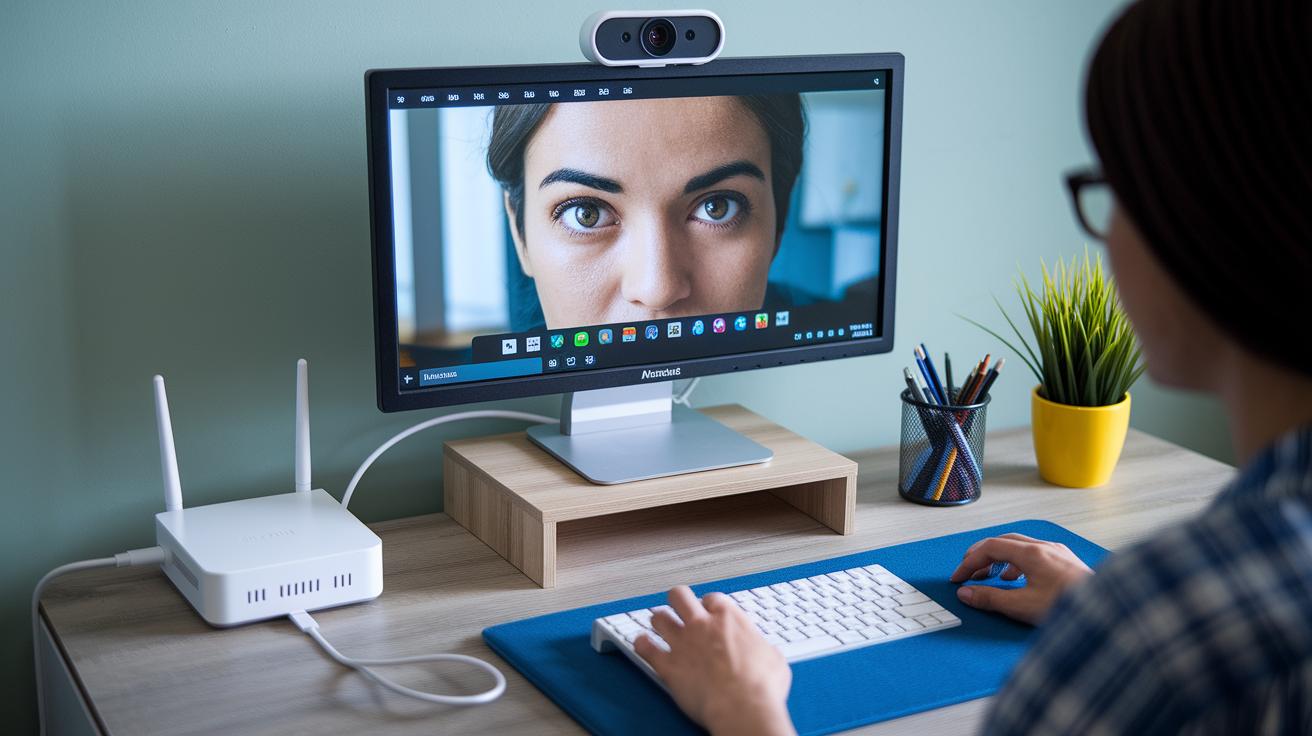
A steady internet connection is essential for a smooth video call. For best results, try using a wired Ethernet cable instead of relying only on Wi-Fi. This simple change cuts down on interruptions and keeps your video and sound steady. If you prefer wireless, check that your router supports high-speed broadband and sits close to your device. And before your consultation, run a quick speed test to avoid any lag.
Audio and Video Equipment
Clear video and crisp audio can make your video consultation feel like you're in the same room. A great trick is to use an external HD webcam set at eye level to capture all those little facial cues. Coupled with a quality microphone and speakers or headset, your voice comes through cleanly, even without background noise. Imagine having a chat with your doctor and hearing every word clearly, it really makes a difference.
Environment and Lighting
Your surroundings play a big part in how smooth your consultation goes. Pick a quiet, private spot where you won’t be interrupted. Good lighting is key too. A softly lit room with options to adjust the light can help reduce shadows and distractions. Try to sit with a light source, like a window or lamp, in front of you so your face is bright and clear. These simple tips can really up the quality of your video call and make it feel professional yet comfortable.
Best Practices and Etiquette for Effective Video Consults

Before your video consult, take a few minutes to get ready. Start by looking over your past medical notes so your provider can continue where you left off. Give your device’s camera and microphone a quick test call; it really saves time later. Write down a few questions or concerns, like "What can I do to better manage my symptoms?" And don’t forget to silence your notifications so nothing distracts you.
During the call, try to look right at the camera as if you’re talking to a friend. Speak clearly and at a comfortable pace so every word is heard. It might feel like a relaxed chat, and saying little words like "okay" or "I see" lets your provider know you’re paying attention. At the start, agree on the main goals together so you both know what to expect.
When the call wraps up, take a moment to go over the next steps. Confirm any follow-up appointments or extra tests you might need. Jotting down the key points can help both of you stay on track. This simple step can really smooth out your telemedicine experience.
Security, Privacy, and Legal Compliance in Video Consultations

Patient data safety is a big deal in telemedicine. Secure, HIPAA-compliant platforms use encryption and unique login credentials so only the right people can access your information. Think of it like walking into a locked room where only you hold the key , that's how your data is kept safe during every session.
Digital consent forms are key too. Patients sign these forms online, and the signatures are stored safely in their records. This step not only shows that permission was given but also creates a clear record of consent, helping keep everything under careful control.
Providers must also check state licensing rules and record that each session follows telehealth laws. Regular checks make sure that both the tech side and the legal side are on track. Here’s a quick rundown of what that means:
These steps help make every telemedicine visit safe and respectful of privacy. In the end, legal compliance and patient trust come together, creating a secure environment for digital care.
Common Challenges and Troubleshooting Tips for Video Consults

Sometimes, video calls with your provider just don't go as planned. You might deal with dropped connections, choppy video, or muted audio, and that can really break your flow. But usually, a few simple steps can get you back on track.
Before you start your call, it’s a good idea to check your internet speed. A slow connection could be why things are acting up. And hey, sometimes a quick restart of your device can do wonders by refreshing its settings. If anything feels off, updating your app or operating system might be just the fix you need.
If your video looks fuzzy, make sure your camera has permission to work and that any external cameras are properly connected. And when the sound isn’t clear, double-check that your microphone is enabled and the volume isn’t set too low.
Here’s a quick checklist to help you troubleshoot:
| Step | Description |
|---|---|
| 1 | Check your internet speed |
| 2 | Restart your device |
| 3 | Update your software |
| 4 | Verify camera and microphone permissions |
| 5 | Confirm device volume settings |
By taking these steps, you'll help ensure your video consult goes smoothly. It’s all about making sure everything works as it should so you can focus on the conversation without any unnecessary interruptions.
Future Innovations and Trends in Telemedicine Video Consultations

Telemedicine is quickly changing how we see healthcare by blending smart tech with care that feels personal. Imagine a video call where a bit of artificial intelligence helps catch unusual symptoms as you chat with your doctor. For example, AI-enabled diagnostics, like those in AI in healthcare innovations, can quickly point out key health concerns you might otherwise miss.
Then, think about the role of wearable devices. These clever gadgets can send live updates, like your heart rate and oxygen levels, straight to your healthcare provider. It’s almost like your doctor can watch over you all day, even when you’re not in the office.
Next, advanced mobile platforms are getting a friendly upgrade. New interfaces now offer features like predictive analytics that tweak your care plan as needed, making sure you get just the right help at the right time. This smoother, more connected approach bridges gaps between different health systems, making remote care feel more like personal care.
In truth, with these emerging tools, both patients and providers can look forward to an experience that is not only more interactive but also deeply connected. It’s a next-generation upgrade that brings video consultations into a warm, accessible healthcare future.
Final Words
In the action, this article outlined how video consultations work, from setting up your account and testing your devices to understanding privacy protocols. It broke down the steps for smooth registration, scheduling, and troubleshooting common tech issues. We also explored the benefits of secure, streamlined care with innovative tools and thoughtful guidelines on maintaining clear communication during sessions.
Keep exploring accessible digital healthcare through our video consultation in telemedicine: a guide for beginners and enjoy a more convenient, confident care experience.
FAQ
What are some examples and types of telehealth?
Examples of telehealth include video visits and remote monitoring. Four types involve real-time communication, store-and-forward methods, remote patient monitoring, and mobile health applications.
How do I start a telemedicine practice as a nurse practitioner?
Starting a telemedicine practice means obtaining the correct licenses, joining a trusted platform, and setting up the necessary digital tools so your virtual care meets quality standards.
What are telemedicine documentation examples and CMS guidelines?
Telemedicine documentation examples include digital patient forms and appointment notes. CMS guidelines require clear records, correct billing codes, and documentation that follows legal standards.
What are the telehealth guidelines for 2025 and how do I create an implementation plan?
Telehealth guidelines for 2025 focus on secure technology, efficient communication, and patient data protection. An implementation plan involves choosing a compliant platform, training your team, and setting up a robust system.
What are the 4 P’s of telehealth?
The 4 P’s cover Preparation, Platform, Privacy, and Patient engagement. These elements are key for delivering effective virtual care sessions.
What is the 7 day rule for telemedicine?
The 7 day rule means that follow-up consultations or treatment adjustments should occur within one week to maintain proper continuity and quality in patient care.
What are the five basic requirements for telemedicine?
The five requirements include clear patient consent, a secure connection, reliable hardware, updated software, and complete documentation to support your virtual care needs.
How do I prepare for a virtual consult?
Preparing for a virtual consult involves testing your camera and microphone, checking your internet connection, reviewing patient history, and setting up a quiet, well-lit space for a smooth session.