


Have you ever wondered if a single fitness app could bring out your inner athlete while sparking a bit of friendly competition? Strava turns every run, bike ride, or swim into a lively tale of your hard work and progress. As you move, the GPS lights up your path so you can actually see your journey in real time. And with leaderboards showing how you stack up, there's a little extra nudge to keep you going.
Strava is more than just a tracker. It builds a warm, social space that cheers you on as you chase your health goals. Every workout feels like a new chance to push harder and feel better, making it a friendly companion on your fitness journey.
Complete Overview of the Strava Fitness App: Key Features and Benefits
Strava is a friendly fitness app that turns your workout numbers into a personal story of hard work and achievement. It tracks over 30 activities like running, cycling, hiking, and swimming, making it easy for anyone to record everyday exercise. With GPS tracking, you see your route update in real time, like watching your path light up with each turn.
The app works in real time so you can check your speed, distance, and route as you move, making every workout feel connected and clear. Plus, it syncs with Bluetooth heart rate sensors that show your effort and help you push safely. And with fun features like segment leaderboards, you can compare your stats with others, adding a playful, competitive spark to your exercise.
What really makes Strava stand out is its smart mix of detailed fitness tracking and a warm, social community vibe. You can enjoy a free version or upgrade to premium if you want more insights. With millions of users in over 190 countries, Strava turns every run, ride, or swim into a meaningful achievement, proving that every workout is a chance to grow stronger and feel better about yourself.
Getting Started with the Strava Fitness App: Setup and Device Compatibility

Strava is all about making it simple for you to track your workouts safely and reliably. To kick things off, download the app from the App Store or Google Play. You'll need to verify your account with either an email or a text message so your profile stays secure and your data backs up smoothly. Remember, a live internet connection is required for the initial setup. Once your maps load, you can even record workouts offline when there's no signal.
Strava works on many devices. You can use it with a GPS-enabled smartphone, an Apple Watch Series 2 or later, or even a cycling computer. Plus, you can connect other health gadgets to gather extra information about your workouts.
Getting started is a breeze. Just follow these five steps:
- Download the app from your favorite app store.
- Sign up with email or text verification.
- Load the maps for offline workout recording.
- Connect your compatible device to the app.
- Turn on cloud backup sync so your data is safely stored.
Once you complete these steps, your workouts sync through Bluetooth and cloud backup, keeping everything accurate and secure. With this easy setup, you can focus more on staying active while Strava takes care of the tracking. Enjoy the confidence of knowing that every step you take is supported by reliable data.
Strava Fitness App Activity Tracking Metrics and Analysis
Real-Time GPS Tracking
Strava uses satellites to measure how fast you're going and the path you take. It records every second of your workout so you can see exactly how you move. Imagine cycling through a hilly area, the app shows the climb in real time. For best results, try to keep an open view of the sky and avoid areas blocked by tall buildings or lots of trees.
Heart Rate Monitoring Features
The app works well with Bluetooth heart rate monitors so you can watch your heart rate as you exercise. This helps you see how hard your heart is working. When you connect your wearable, make sure it links to our fitness tracker app. Seeing your heart rate instantly can help you change your pace, keeping your workout safe and effective.
Power and Cadence Analysis
Strava also connects with power meters to give you clear data on your effort. You’ll see details like power output for cycling and cadence numbers for both running and biking. These insights let you feel the strength in each pedal push or stride and help you adjust your routine, whether you want to sprint more or hold a steady pace.
Performance Trend Charts
With Strava, you can view charts that show your progress over days, weeks, and months. These visuals make it easy to track improvements in your pace or cadence. Every workout is logged and analyzed, empowering you to adjust your training and celebrate your progress.
Social Engagement and Community Tools in the Strava Fitness App

Challenge Events and Achievement Badges
Strava gives your workouts a fun twist with monthly challenge events. Picture this: you’re challenged to run 200 miles or cycle a particular distance, and when you hit that goal, you earn a cool badge. It’s like receiving a shiny little trophy that pops up on your activity feed. I remember the first badge I earned, it made me feel like I had joined an exclusive club of achievers!
Segment Leaderboards
Strava’s segment leaderboards let you see how you’re doing on specific routes compared to others. You can join segments already created or even set up your own challenge. Imagine pushing through a hill while checking your progress alongside fellow athletes, it’s like having a friendly race with yourself and a community that truly celebrates every stride.
Clubs and Group Challenges
Joining or forming clubs on Strava turns your individual workouts into shared adventures. Clubs host group rides, runs, and even organized challenges that bring local communities together. It’s like having your own cheering squad following you on every step, making fitness feel more like a fun social outing than a solo mission.
Activity Sharing and Privacy Controls
Strava makes posting your workouts super simple. You can share your activities right within the app or on your favorite social platforms. At the same time, you’re in control of your privacy. You decide what to reveal and what to keep secret, like your favorite hidden trails. It’s all about celebrating your best moments while keeping your private details safe.
Training Plans and Advanced Analytics in the Strava Fitness App
If you're a premium user, you get access to running and cycling plans made just for you. You can mix and match interval workouts and adjust plans to meet your own fitness goals. It’s almost like having a helper that shows you when to push a little harder and when to take it easy. Plus, the Fitness & Freshness score lets you know if it's a recovery day or a time for high energy. It isn’t personalized coaching, but the freedom to set up your own training routine makes Strava a handy tool to keep you balanced.
Strava also turns your workout data into a clear guide for improvement. You'll see your progress on simple charts that track your daily, weekly, and monthly gains. The app shows you the ups and downs of your route with easy-to-read elevation charts and gives you real-time feedback on your effort. You can even download CSV reports to look over your stats whenever you want. This data helps you make small changes with each session so that every workout builds towards a healthier lifestyle.
Pricing and Subscription Details for the Strava Fitness App
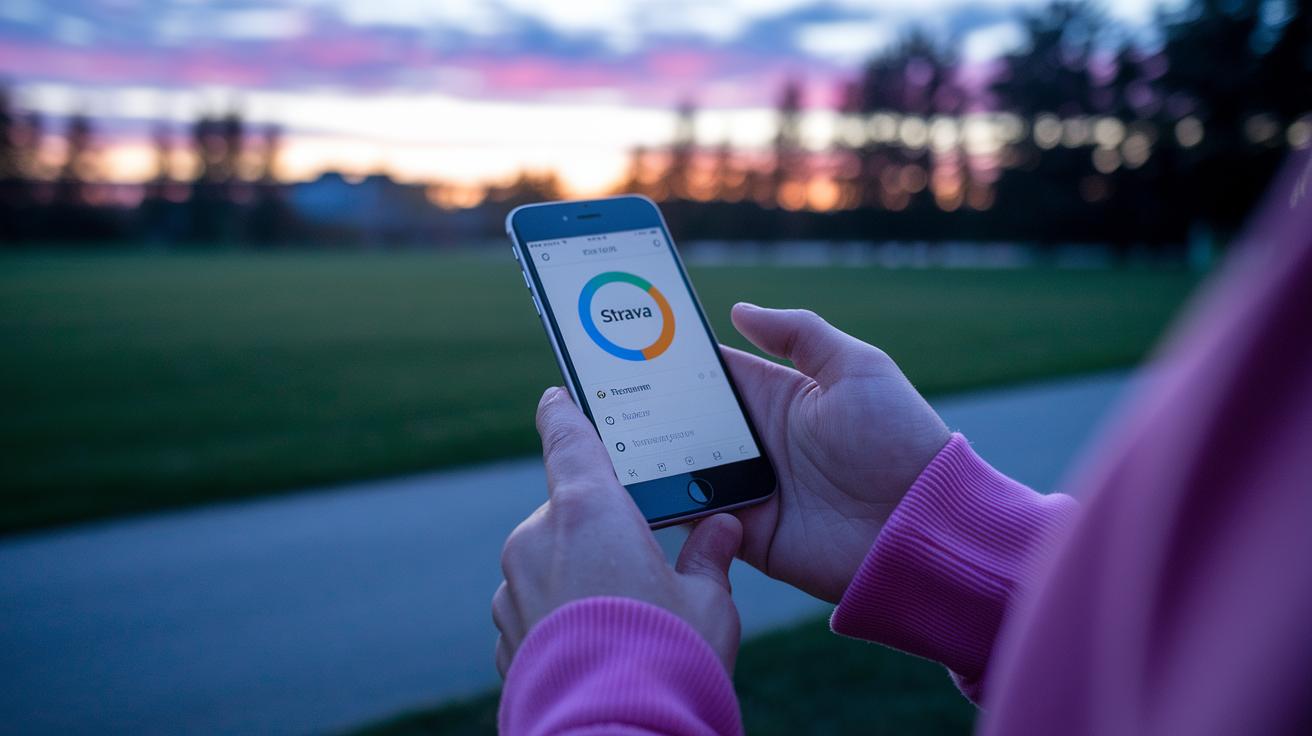
Strava has something for everyone with both free and premium plans. The free version lets you log as many activities as you want and share your workouts on a social feed. It’s perfect for those days when you just want to track your run or bike ride without spending anything.
If you’re curious about your performance, the premium option might be just what you need. It costs $11.99 per month or $79.99 per year, and you even get a 30-day free trial to give it a try. Plus, students enjoy a 50% discount, a handy perk when every penny counts.
Premium features boost your experience with cool extras like offline map downloads, easy-to-understand advanced analytics, personalized training plans, and a smart Relative Effort metric that shows how intense your workout was. Check out the comparison in the table below:
| Plan | Price | Key Features |
|---|---|---|
| Free | $0 | Unlimited activity logging, social feed |
| Premium Monthly | $11.99/month | Offline maps, advanced analytics, training plans, Relative Effort |
| Premium Annual | $79.99/year | All premium features, 30-day free trial, 50% student discount |
Tips and Best Practices for Optimizing the Strava Fitness App Experience
When you set up the Strava app, start by turning on the privacy settings to hide your sensitive locations. This simple step keeps your home and secret trails safe while you track your runs or bike rides. It feels good to know that your starting and ending points remain private, so you can concentrate on your workout without extra worries.
Using the goal setting tools in the app can really boost your progress. Pick clear targets like distance or climbs that match your fitness level and watch your stats to see little improvements over time. Changing up your route with hills or flat stretches can make your exercise more fun and challenging.
For those who want to dig a little deeper, try exporting your activity data to CSV for later review and link up with other apps for more insight. Adjusting your device’s battery-saver settings can help you power through long workouts without any stops. These easy tweaks ensure that you get the best out of the app while staying safe and on track with your goals.
Final Words
in the action, this article explored how the strava fitness app turns workout data into meaningful insights that help you track progress and connect with an active community. It broke down setup steps, detailed performance analysis, and explained social features along with training plans and pricing options. Each section showed how easy it is to get started and make your mobile wellness routine more engaging. This practical guide leaves you ready to take on your next workout with confidence. Enjoy every step of your path to better health!
FAQ
Q: What does a Strava fitness app review reveal about its overall quality and user experience?
A: A Strava fitness app review shows that it excels in real-time tracking, detailed metrics, and social sharing features. Users report an engaging experience that supports a variety of workout types and connects them with a vibrant community.
Q: How does the free version of the Strava fitness app work?
A: The free version of Strava offers unlimited activity logging and a social feed for sharing workouts, while certain advanced features like offline maps and in-depth analytics require a premium subscription.
Q: Which devices support the Strava fitness app and how can I download it?
A: The Strava fitness app is available for Android and iPhone. You can download it from Google Play or the App Store, where it integrates smoothly with compatible devices for effective workout tracking.
Q: What capabilities does the Strava app offer for walking workouts?
A: The Strava app for walking records your routes, pace, and distance using precise GPS mapping. It also tracks performance metrics, making it a useful tool for casual walkers and dedicated fitness trackers alike.
Q: What does “Strava Watch” refer to and how does it work?
A: “Strava Watch” typically refers to using Strava via compatible smartwatches like the Apple Watch. It enables you to track workouts, monitor heart rate, and view performance data directly on your wrist.
Q: How are activities and performance metrics displayed in the Strava fitness app?
A: Activities, performance metrics, and social updates are clearly shown on the Strava app. This design makes reviewing workout details and sharing progress with your fitness community straightforward and engaging.
Q: Which fitness apps integrate well with Strava?
A: Strava syncs with various fitness apps and connected devices such as Garmin Connect and Fitbit. This integration helps consolidate your workout data across platforms for a complete view of your fitness progress.