
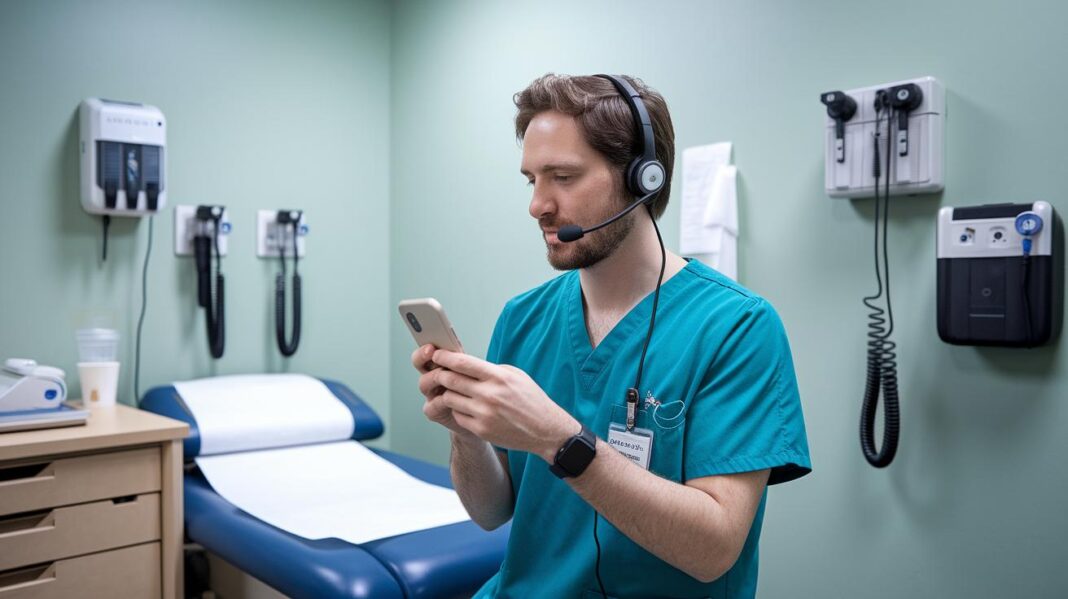

Ever thought your video setup might be missing something important? A smooth consultation starts with the right mix of tools. You'll need a clear high-definition camera, solid audio gear, a computer that can really keep up, good lighting, fast internet, and secure video software. Each part works together, like pieces of a well-tuned instrument. This checklist makes sure healthcare providers stay on track so every session is clear, connected, and caring.
Core Categories in Your Video Consultation Equipment Checklist
When you set up your telehealth service, keep in mind that it covers more than just telemedicine. It includes both clinical and non-clinical services, so there's a lot to think about. First, consider the video setup. A high-definition camera (at least 1080p) makes sure you capture clear facial details and exam cues. Just imagine being able to see every little movement during a session.
Next, give some thought to your audio gear. Noise-canceling microphones and over-ear headsets help make voices crisp and free from distracting background noise. This way, the conversation between patient and doctor flows smoothly without any interruptions.
A reliable computer is also essential. Make sure your device has enough CPU and RAM to handle video calls without lag. Nobody wants a flickering screen that throws off the rhythm of a conversation. And while you're at it, add proper lighting. Diffused LED panels can brighten up the space and lower harsh shadows, making the virtual room look warm and welcoming.
Another crucial point is having a strong and steady internet connection. Check that your bandwidth supports clear high-definition video streaming. And hey, a backup option like a 4G LTE network can really save the day if your main connection ever hiccups.
Finally, don’t skip on choosing the right software. Go for video platforms that meet HIPAA security rules to keep patient data safe. If you’re just starting out, our guide on preparing for your first video consultation might be really helpful.
All these elements work together to build a solid telehealth setup. They ensure your video consultations are smooth, secure, and easy to manage.
Camera and Video Capture Essentials for Telehealth Consultations

A clear video makes all the difference in a telehealth appointment. A 1080p webcam at 30 fps shows details like facial expressions and even helps during a quick physical check. It’s best to pick one that has autofocus and low-light features, so your image stays sharp even when the room isn't perfectly lit. A wide-angle lens also works great to capture more of your space, which is handy during a remote checkup.
Next, consider the connectivity options. Choosing a webcam with USB-C or USB-A ports makes it easier to hook up and stay connected. Make sure to mount your camera on a stable tripod or use an adjustable stand to keep the view steady. Some folks even set up two cameras, one for the provider and another for the exam area, to switch views easily. Experimenting with different angles and heights can help you get that natural, face-to-face feel.
Placing your camera near the top of your monitor can mimic eye contact and make conversations feel more genuine. With careful camera choices and thoughtful placement, each online session becomes clearer and more engaging. Spending a little extra time setting everything up can truly transform your telehealth experience.
Audio Configuration and Microphone Recommendations for Virtual Care
Good audio quality makes a big difference in virtual care sessions. Using USB or XLR microphones with built-in noise-cancellation helps cut out background noises, like the gentle hum of an air conditioner so you can hear every word clearly.
Over-ear headsets with built-in mics are a smart pick too. They give you clear two-way sound and keep your conversation private, almost like having your own little soundproof room.
Try placing your microphone about 6 to 12 inches from your mouth. That way, you avoid loud noises causing distortion or whispers that are too quiet to catch. A simple test is all it takes, say, "Test your mic at 8 inches away" and listen to how clear each word comes out.
Take a moment to adjust and test your audio setup. It can really improve your virtual consultations so that every conversation flows easily and stays easy to understand.
Network and Connectivity Checklist for Uninterrupted Consultations

A steady internet connection is essential for a smooth video consultation. For clear 1080p streaming, try to have around 5 Mbps upload and download speeds. This makes sure the video stays smooth and the image stays clear, so healthcare providers can catch every small detail.
It also helps to have a backup connection. Consider using a second internet provider or a 4G/LTE cellular network as your failover. That way, if your main connection drops, your consultation keeps going without interruption.
For larger practices or sites in multiple locations, SD-WAN might be a smart choice. This tech finds the best route for your data so that even when some spots get busy, your stream stays steady.
- Check your primary connection speed before important calls.
- Regularly test your backup connection.
- Look into SD-WAN if your practice has several sites.
Optimizing Lighting, Background, and Ergonomic Setup for Telemedicine
Good lighting can really change your telemedicine sessions. Try using a soft LED ring light or a gentle softbox to create a warm, even glow. Think of it like having natural sunlight streaming in through a window, making every detail clear during your call.
A simple and tidy background helps keep things professional and private. A plain wall or a subtle virtual backdrop works great because it keeps the focus on you and your patient. This makes your video calls smooth and comforting, so everyone feels at ease.
Comfort matters too. Consider an adjustable chair and desk set-up so that you can sit comfortably through long appointments. A well-organized workspace not only lessens fatigue but also helps you stay alert and engaged during each call. In short, a thoughtful setup boosts both your visual presence and overall well-being.
Software, Platform Selection, and Security Standards for Telehealth

Pick a video platform that uses end-to-end encryption and hosts sessions in a HIPAA-compliant way. A secure software system is like the strong foundation of patient safety in digital healthcare. The right tool not only shields sensitive information but also makes video calls smooth and reliable.
Next, look for platforms that work well with EHR/EMR systems for things like charting and scheduling. This means you can update patient data right away during or even after a consultation. It saves you time and cuts down on juggling multiple tools. Kind of like having a Swiss Army knife for your work.
Also, make sure your vendor backs up their platform with regular firmware and security patch updates. A system that gets frequent updates helps keep potential breaches and glitches at bay. It makes sense to pair your hardware with a software solution that takes security seriously. And don’t forget – test everything before your live sessions to catch any little hiccups early on.
When you’re exploring software options, check out guides such as best practices for secure video consultation in telemedicine to stay current and trusted. Matching smart technology with strong security standards gives you that extra peace of mind for every virtual appointment.
Maintenance, Troubleshooting, and Calibration Best Practices for Telehealth Equipment
Before each telehealth session, run a quick check. Make sure your camera is focused, the audio and video line up, and your network runs smoothly. This little check helps catch problems before they disrupt your call with a patient.
Keep your device software up to date by updating drivers and firmware regularly. Old software can mix things up or even leave your system vulnerable. A regular update schedule keeps those annoying glitches at bay and stops unexpected downtime.
Set up a simple routine for your equipment care. Wipe your camera lens to clear away any smudges and check that your cables aren’t worn or loose. A short test to adjust your camera focus just before a call can catch misalignments early, saving you hassle during the session.
- Check audio-video sync and network speed at the start of each call.
- Update drivers and firmware on a regular basis.
- Clean lenses and inspect cables frequently.
- Recalibrate your diagnostic tools as needed.
Following these steps helps ensure your telehealth equipment stays reliable and your consultations run gently and smoothly.
Vendor Insights and Budget-Friendly Equipment Strategies for Healthcare Providers

When you set out to buy your telehealth gear, it's all about finding the right mix of cost and quality. Basic webcams start at around $50 and work well for simple video chats. But if you want more flexibility and clear adjustable views, you might consider professional PTZ cameras, which generally range from $300 to $1,000. And remember, great audio matters too. A good USB microphone usually costs between $100 and $150, while an XLR setup with a mixer can run about $200 or more if you need higher-quality sound.
Tablets are a handy addition to your digital consultation toolkit. For everyday use, you can often find consumer models starting at $329. But if you need extra security or medical-grade features, you may be looking at spending $1,000 or more. It's a smart move to compare different options to fit your budget and match your practice’s needs.
- Low-cost gear gives you a strong start.
- Mid-range products boost quality without a big jump in price.
- Premium equipment offers top performance and reliability.
For more ideas on modern vendor solutions, check out this overview of innovative healthcare startups: https://healthandwealth101.com?p=2647
Final Words
In the action of setting up telehealth, we explored the key steps for a smooth virtual consultation. We touched on cameras, audio, reliable network connectivity, and lighting arrangements. There was a clear focus on matching quality hardware with secure software that upholds patient privacy. Regular maintenance and budget-friendly solutions also made the cut. Remember to consider your video consultation equipment checklist for healthcare providers as you move forward, keeping every session secure and seamless. This guide keeps you ready for positive, stress-free virtual care.
FAQ
Telemedicine documentation examples and Telehealth documentation requirements 2024
Telemedicine documentation examples describe guidelines that ensure compliant record-keeping, secure data storage, and clear health notes. They highlight the current requirements for accurate, regulation-aligned patient records.
CMS telehealth billing guidelines 2024, CMS telehealth list, and CMS telehealth 2025
CMS telehealth billing guidelines outline criteria for eligible services, update process details for 2024 and 2025, and offer lists of approved procedures to help providers secure proper reimbursement.
Telemedicine equipment list and What equipment is needed for telehealth?
The telemedicine equipment list covers essential tools like high-definition cameras, noise-canceling microphones, reliable computers, proper lighting, and secure software to support effective and compliant remote consultations.
Telehealth policy examples
Telehealth policy examples provide frameworks detailing patient privacy, service eligibility, and reimbursement rules, guiding providers to adopt practices that meet legal and security standards for remote care.
How to receive a telehealth call
To receive a telehealth call, install the required secure app, verify your personal details, and ensure your device is connected to the internet so you can join video consultations without interruption.
What are the 4 P’s of telehealth?
The 4 P’s of telehealth refer to the key components of provider, patient, platform, and payment. These elements work together to support smooth, transparent, and effective remote care.
What are the five basic requirements for telemedicine?
The five basic requirements for telemedicine include compliant technology, secure data encryption, reliable audiovisual equipment, uninterrupted connectivity, and a user-friendly platform for both patients and providers.
What is the 7 day rule for telehealth?
The 7-day rule for telehealth defines a window in which follow-up services occur, ensuring that subsequent consultations happen within seven days of the initial session for proper billing and care continuity.