
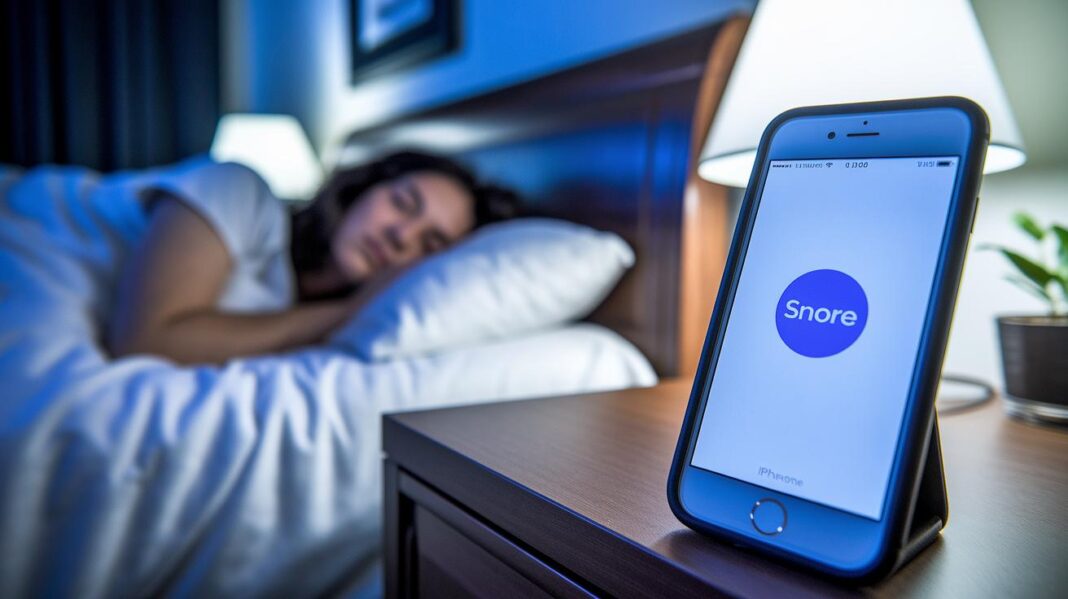

Ever worry that your snores might be disturbing your sleep? Imagine an app that quietly listens all night and lets you know when your snoring could be interrupting your rest. It uses smart filters to block out background noise so you get a clear picture of your sleep patterns. This guide walks you through how the app keeps track of your snores and shares useful details to help you sleep better. Small, data-driven tweaks can lead to calmer nights and brighter mornings.
Tracking and Analyzing Snoring with a Snoring App
Ever wondered how your snoring gets tracked at night? These apps record sounds through your phone’s built-in microphone, so just keep your phone about two feet from your bed. That way, it can easily pick up every snooze and snore detail, giving you a window into your sleep.
To figure out which sounds count as snores and which are just everyday noises, the app uses smart sound analysis with built-in noise filters. It dials out background noises like a ticking clock or distant traffic so that only your snoring events get noticed. This focused method helps you see exactly what might be disturbing your sleep.
- Ambient noise reduction algorithms
- Sound amplitude threshold alerts
- Frequency spectrum analysis
- Machine learning classification of snore patterns
- Correlation of snore events with sleep stages
The app also learns from your nightly sleep patterns using AI. It tracks how often you snore as well as how loud you snore, and even matches these events with different phases of sleep like REM and light sleep. This handy insight can help you make small changes to sleep better. Keep in mind, though, while the app offers useful data, it isn’t a replacement for professional sleep studies that use EEGs. Still, it’s a great tool to help guide you toward a calmer, more restful night.
Comparing Top Free and Premium Snoring Apps

When you're choosing between free and premium snoring apps, it's mostly about the extra features and the cost. Free versions cover the basics, like tracking your snoring and keeping a log of your patterns. Premium versions, on the other hand, add extra tools like better recording quality, real-time alerts, and even fun extras like finding out "Who's Snoring?" in your home.
It really comes down to what you need for your sleep and your budget. Free apps offer enough to start tracking your snoring day-to-day, making them a great option if you're just testing the waters. But if you want a closer look at your sleep patterns with sharper analysis or special features, upgrading to premium might be a smart move without breaking the bank.
| App Name | Key Features | Free/Premium Price |
|---|---|---|
| SoundSleep | Uses AI to log snore frequency and signs of sleep apnea | Free version; Premium $6-$10/month |
| SnoreLab | Gives you a nightly “Snore Score” with detailed sound analysis | Free version; Premium $6-$10/month |
| Sleep Cycle | Tracks snoring and unlocks “Who’s Snoring?” with Premium | Basic Free; Premium $6-$10/month |
| SnoreTrack | Offers coaching via AI to give you personalized tips | Free version; Premium $6-$10/month |
| SnoreControl | Provides real-time snoring alerts and custom threshold settings | Free version; Premium $6-$10/month |
When it comes to picking the best option for you, think about what matters most. Free options give you solid data for basic sleep tracking, and that can be perfect if you’re starting out. However, premium apps offer extra details like sharper recordings and unique features that might help you understand your sleep better. In the end, your decision rests on whether the extra benefits of a premium app are worth the small monthly fee compared to the free basics.
Innovative Snore Differentiation with “Who’s Snoring?” Feature
Sleep Cycle’s "Who's Snoring?" feature learns from just a few examples. It collects about 5 to 10 snores to get a feel for your unique snoring patterns. And it works on both iOS and Android.
The app uses smart sound recording to capture each snore. It logs when you snore and for how long, then saves a little sound clip so you can replay it later. Plus, it checks your sleep stages, like REM, deep, light, and awake, to offer insights that really fit your sleep habits.
It even pairs this detailed snore analysis with a Smart Alarm. This way, you get quick feedback that helps tell the difference between your partner's snores and other background sounds.
In truth, this feature boosts the accuracy of your sleep data while helping improve sleep quality and even relationships. When you know who snores and when, couples can try different pillow setups, change sleep positions, or explore gentle solutions. It turns nightly snoring into clear, manageable insights that help everyone get a better night’s rest.
Setting Up Your Snoring App: Step-by-Step Instructions

First, download the app from either the Apple App Store or Google Play. Next, let the app use your microphone and turn off any power-saving mode that might interrupt its work. Place your phone about 2 feet away from your pillow, so it can catch all the sounds while you sleep.
Then, run the calibration test inside the app. This helps the app learn your snoring sounds and ignore any background noise. After that, follow the tutorial on screen. It guides you through a test recording and a sample playback so you know everything is working correctly. Finally, sync your device with your other gadgets for an easy look at your sleep data from anywhere.
If you hit a snag during setup, try restarting the app or your phone. Make sure all permissions are turned on and your network is working well. Sometimes, uninstalling and reinstalling or updating the app to the newest version fixes small glitches that might get in your way.
When you’re ready to fine-tune the app and look after your battery, here are a few friendly tips. Run the calibration test a couple of times so the sensor can really pick up your snores, not just the background sounds. It might also help to close other apps that could drain your battery during the night. Keep an eye on your phone’s battery; if it’s low, plug it in before bedtime. This way, your app runs smoothly all through the night and gives you clear, dependable sleep insights.
Snoring App Boosts Tranquil Sleep
Ever wonder how a little change in technology can help you sleep better? Snoring apps now work hand-in-hand with wearables like smartwatches and fitness trackers to give you a full look at your night’s rest. For example, the ShutEye app slips right into Apple Health by mixing your snore logs with heart rate and sleep cycle details. This smart setup turns basic snore data into helpful insights, making it easier to see your sleep patterns.
Devices such as Wear OS, Fitbit, and Apple Watch now team up with these apps to send you snore alerts right on your wrist. They also keep track of your heart rate variability as you sleep. In truth, all this data is saved along with your regular sleep stats so you can notice how even everyday activities might be affecting your rest. It’s pretty neat how you can compare snore patterns with your movement and exercise levels.
All this information comes together in one handy dashboard that shows your steps, sleep details, and snoring events in one view. Check out this fitness tracker app and take a look at similar features in wearable tech for health. With everything linked up, you get a full picture of your overall wellness, helping you make small changes that lead to a more peaceful night’s sleep.
Data Privacy and Accuracy Standards for Snoring Apps

Snoring apps care about your privacy by processing your audio right on your phone and only keeping track of snore events. Your recordings stay private, helping keep your personal details safe. Many apps also use simple encryption to lock your data when it's sent for analysis so that your sleep information stays secure. High ratings and clear transparency reports further boost trust, showing that your data is handled with care.
These apps also come with built-in background noise reduction to zero in on true snore sounds. Filters help cut out extra room noise, ensuring you only get the clearest information. By processing data on your device and setting strict encryption rules, the developers create a safe space for monitoring your sleep while protecting your privacy.
The apps also focus on regular sensor calibration. While they offer useful deep sleep insights, they don’t use EEG data, so think of the sleep stage details as handy estimates rather than exact readings. Regular adjustments and accuracy checks help lower false alarms and boost reliability, reminding you to view the data as just one piece of the bigger sleep puzzle.
Using App Insights to Reduce Your Snoring
Have you ever taken a good look at your app’s snore-analysis reports? They can offer simple clues about how your sleep habits and surroundings might be affecting your rest. The report breaks down things like how often you snore, how loud it gets, and what time during your sleep it happens. For instance, if you notice more snoring when you're on your back, that might be a hint to try a different pillow or raise the head of your bed. It’s like having a friendly guide helping you tweak your sleep setup.
Try switching up your approach to see what works best. Maybe using a mouthguard or chin strap will help, or a different pillow could make a difference. The app keeps track of these changes and shows you if things are getting better or if those snore patterns stick around. Even simple shifts like cutting back on alcohol or managing your weight show up in the data, giving you a clear, step-by-step way to lower your risk of sleep apnea and enjoy better sleep.
If you keep seeing strong snoring or repeated patterns, it might be a good idea to chat with a professional about other treatment options.
Expert Reviews and User Satisfaction of Snoring Apps
Many sleep experts love using snoring apps because they track your snoring accurately and provide clear, easy-to-understand tips. Professionals point out that these apps catch snore sounds and break down the details so you can tweak your sleep habits. Plus, app store ratings average around 4.2 stars, proving that these apps not only perform well but are also simple to use. Real-time alerts and adjustable settings make them a go-to choice for people wanting better sleep.
Doctors and other health professionals also recommend these apps to monitor sleep quality. They appreciate that the data from the app can show early signs of sleep issues, helping you adjust your environment to sleep more soundly. Many community forums share stories of users who notice a positive change in their sleep within two to four weeks. When experts endorse an app and real users see results, you know it really works.
Users are genuinely excited about these snoring apps. One person shared, "After a month of using the app, I woke up feeling refreshed for the first time in years." Another mentioned notable improvements in their sleep patterns. These real success stories build trust and show that snoring apps can really help, whether you're a sleep expert or just someone looking for a better night's rest.
Final Words
In the action of measuring sleep sounds, this guide showed how a snoring app uses core detection techniques and clear, step-by-step setup to provide actionable insights. We walked through microphone placement, smart and secure data methods, plus benefits of wearable syncing, making the analysis both simple and reliable.
Expert reviews, user testimonials, and privacy standards round out a picture of a tool that not only monitors snoring but also fosters better, healthier sleep habits. Enjoy the promise of easier nights ahead.
FAQ
What is the best free snoring app?
The best free snoring app depends on your device and needs. Many options let you record, analyze snore patterns, and provide user-friendly feedback, with some popular versions backed by community reviews on Reddit.
What features should I look for in a free snoring app?
A free snoring app should offer clear recording, ambient noise filtering, sound level analysis, and user-friendly graphs. Community feedback—such as on Reddit—can help identify reliable choices for your smartphone or Apple Watch.
What is the best app to analyze snoring?
The best snoring analysis app uses advanced sound filtering, frequency analysis, and machine learning to track snoring patterns, offering detailed insights into snore duration and intensity throughout sleep cycles.
Can my phone tell if I snore?
Yes, your phone can tell if you snore. By using the built-in microphone and smart algorithms, many snoring apps capture and analyze your sleep sounds to differentiate snoring from background noise.
Is it worth using a snoring app?
It is worth using a snoring app because it provides useful insights into your sleep patterns, alerts you to potential health risks, and offers tips for simple, everyday changes to improve your sleep quality.
Is SnoreLab free to use?
SnoreLab provides a free version that covers basic snore tracking and analysis, while offering premium features for deeper insights. The free option lets you monitor your snoring with easy-to-read reports.